Schichtplaner App User Manual
Table of Contents

User Profile

In your user profile, you can configure individual settings as a logged-in user.

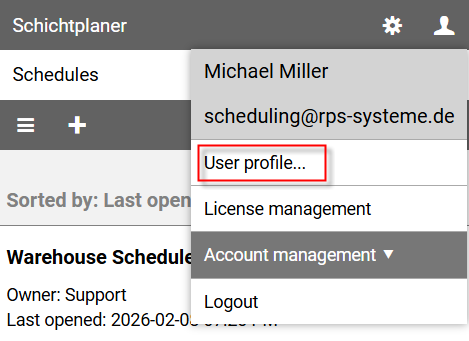
To edit the settings, click on the user icon in the upper right corner of the view to open the user menu and select the command User Profile....

User Menu - User Profile

The user profile page is divided into different sections:

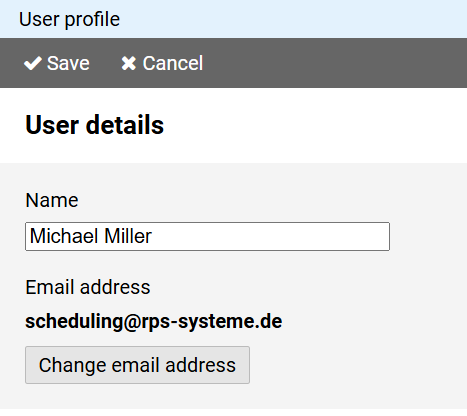
User Profile - User

The name determines the label that will be displayed to other users in connection with your user account.

To change the email address you use to log in, press the Change email address button.

Then enter your new email address and your password for confirmation.

Note: If you have entered a new email address, you will receive a confirmation email with a link after closing the page.

Your changed email address will only be valid after you have clicked this link.
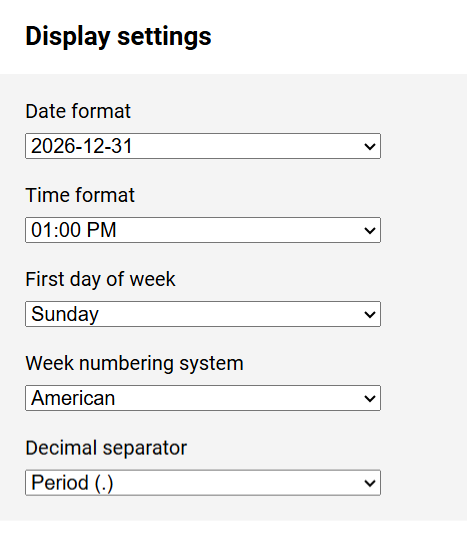
User Profile - Display Settings

In the Display settings section, you specify how date, time and decimal values ​​are displayed in the app.

For the week numbering system you have the following options:

European / ISO 8601: The week begins on Monday; the first calendar week of the year is the one that contains the first Thursday of the year.
American: The week begins on Sunday; the first calendar week of the year is the one that contains January 1st.
Middle East: The week begins on Saturday; the first calendar week of the year is the one that contains January 1st.
Mixed: The week begins on Monday; the first calendar week of the year is the one that contains January 1st.
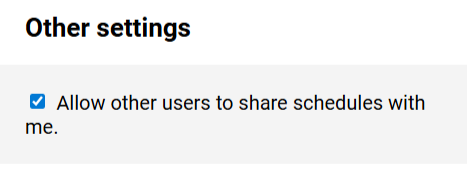
User Profile - Other Settings

You can be granted access to other schedules by users who have created a schedule or who manage a schedule as an administrator, by adding your email address to the schedule user list.

To prevent this, disable the option To prevent this, disable the option Allow other users to add me as a user to a schedule.

Notes:

  • To be exceptionally registered as a user of a schedule, you must consult with the owner or an administrator of the schedule.

    Enable your availability before you are registered as a schedule user.

    You can then disable your availability again.

  • Disabling availability will only have an effect if the setting was made before you were added to the other party's schedule.

    You can terminate the collaboration retroactively by removing the schedule.