Homepage with Schedules
After logging in the homepage will appear.
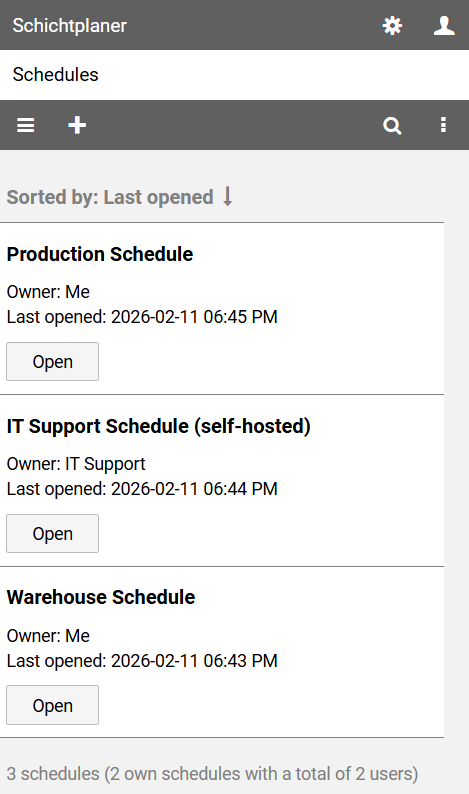
The homepage lists all the schedule you can access.
This includes your own schedules as well as the schedules of other users you have invited to collaborate.
Note: You can access the home page at any time by clicking on the app name in the upper left corner of the view.
The command bar above the list contains the following buttons:
opens the main menu with access to the help pages and the privacy policy
opens the page for creating your own schedule
searches for schedules with a specific text in the name or description
opens the view menu which allows you to refresh the displayed data öffnet das
The button next to a schedule name opens the corresponding schedule view.
Context Menu
Clicking on a schedule name opens a context menu that allows access to specific actions.
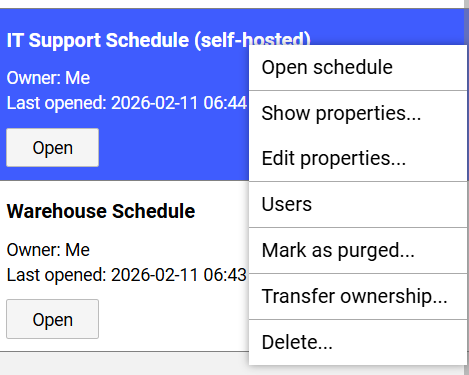
displays the schedule view for the selected schedule
displays the basic data of the schedule
allows you to change the basic data of the schedule
displays the administrative view for the users of the schedule
indicates a renewed database
initiates a change of ownership
removes the schedule