Transfer Schedule Ownership
You can transfer a schedule that you own to a new owner.
Notes:
The desired new owner must have a Schichtplaner user account and at least one user license to take over the schedule.
The users of the schedule remain the same during the transfer.
However, previously assigned user licenses are not transferred and must be reassigned by the new owner from their existing inventory.
To initiate the transfer of a schedule to a new owner, click on the name of the schedule on the homepage and select the command from the context menu.
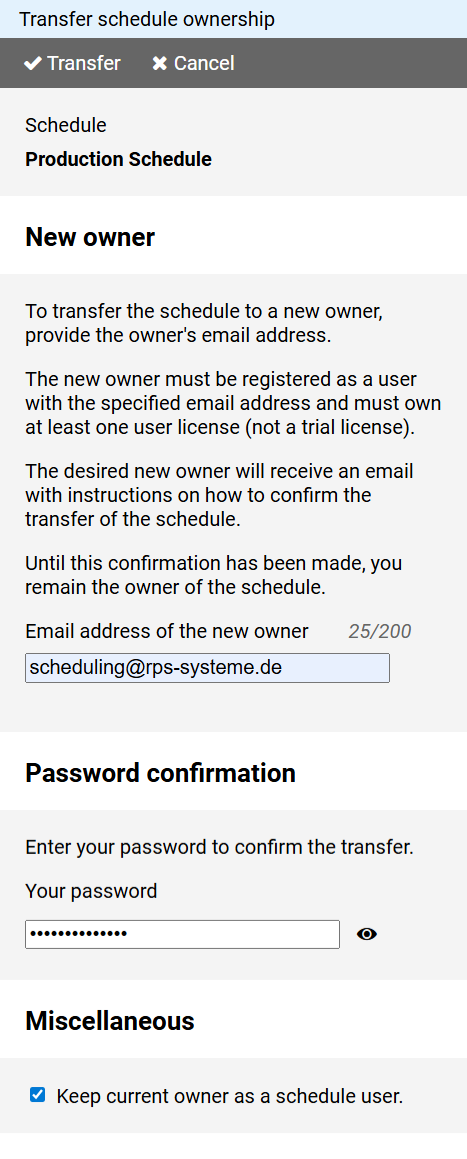
Enter the email address of the desired new owner with which they registered their Schichtplaner user account.
Enter your password to confirm the transfer.
If you, as the previous owner, wish to remain a user of the schedule, select the appropriate option.
Press the button.
After a confirmation check, the transmission is initiated.
Notes:
The schedule will not be transferred to the specified user immediately.
The user will receive an email with a confirmation link.
Only after clicking this link the schedule will be transferred to the new owner.
Until that happens, you remain the owner of the schedule.
You can reverse the transfer of the schedule by accessing this function again before the new owner has confirmed the takeover and entering your own email address as the new owner's email address.