Manage User Rights
In the user rights administration view, you can define the rights of users for a schedule in detail.
To show the administrative view for users rights for a schedule, click on the name of the schedule on the homepage and select the command from the context menu.
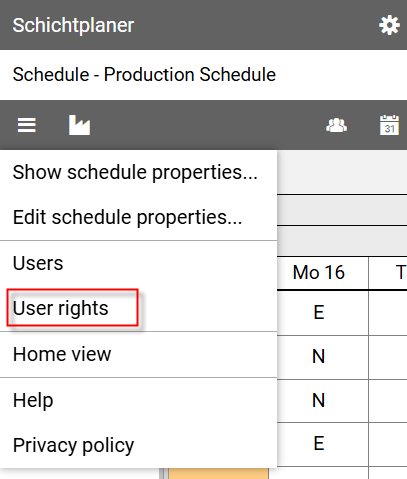
Notes:
From the administration view for users you can show the view by pressing the button ion the command bar.
Access to the administration view for user rights is only available to the schedule owner and administrators.
The owner can assign administrator rights to a user by editing them via the administration view for users.
Administrative View for User Rights
This view lists all schedule users with their basic rights.
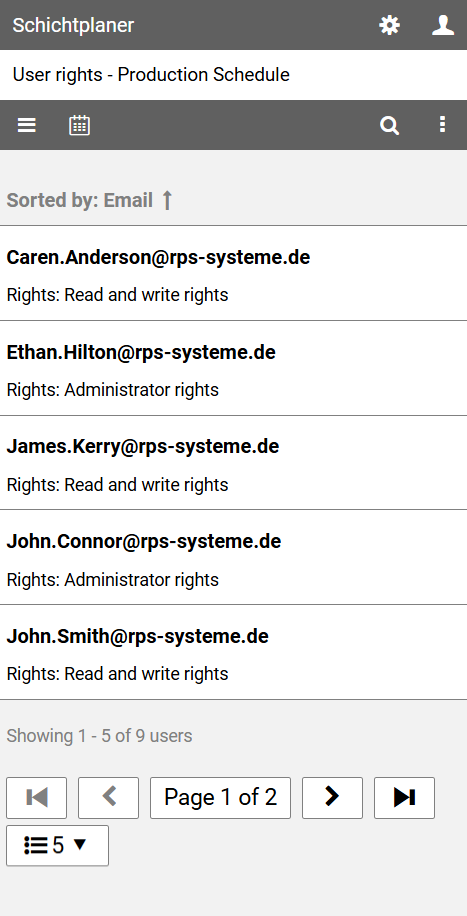
The command bar contains the following buttons:
opens the main menu with commands for editing the schedule properties, the schedule users and user rights
displays the schedule view
searches for users with a specific name or email address
opens the view menu for further actions
Context Menu
Clicking on a user's name opens a context menu that allows access to detailed user rights.
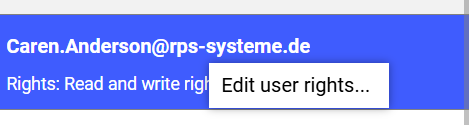
Note: The rights of the owner and administrators cannot be edited, as they generally have full read and write rights to the duty roster.