Delete User Account
To delete your user account, click on the user icon in the upper right corner of the view and select the command from the user menu.
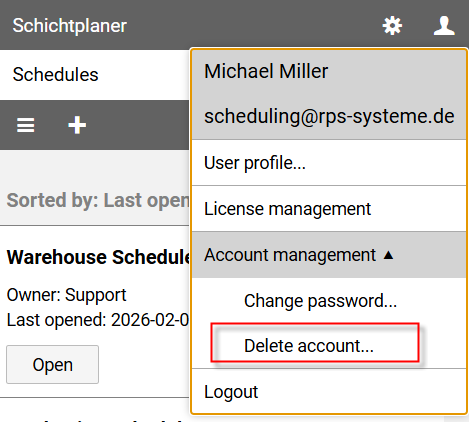
A new page opens:
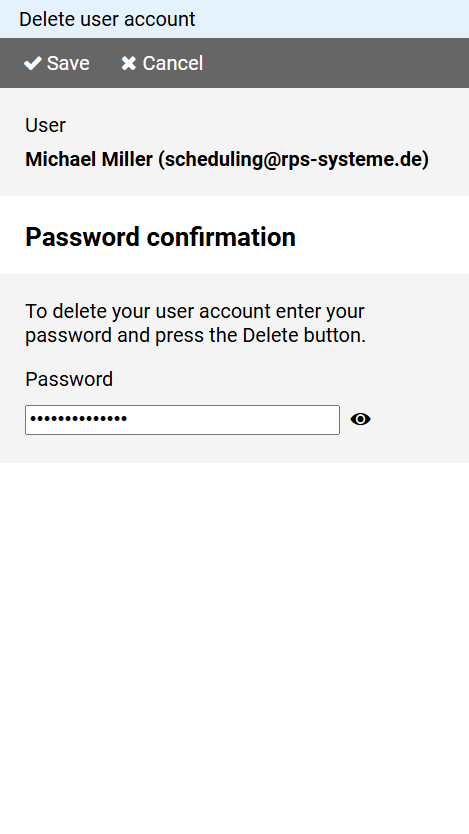
Enter your password to confirm, then press the button and agree to the following security prompt.
Warning: Your own schedules will also be deleted when you delete your user account.