Part-time Absences
To add a non-full-day absence for an employee, select the command from the action menu that appears when adding absences.
An input form will appear:
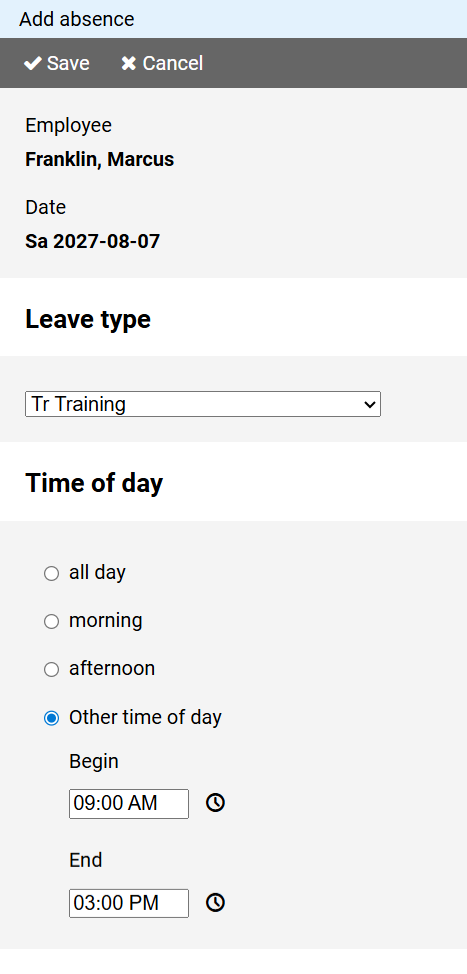
From the drop-down list, select the type of leave type to be added.
Mark the time of day the employee is absent.
The time can be determined down to the minute.
Note: The absence entry must not contain a change of day.
If necessary, enter two absences on consecutive days.