Assign Shift Cycles
To assign a shift schedule to an employee, i.e., to transfer the shifts from a shift cycle to the schedule, click the employee's name in the administration view for employees and select the command from the context menu.
A new page is displayed with a table listing all of the employee's shift cycle assignments.
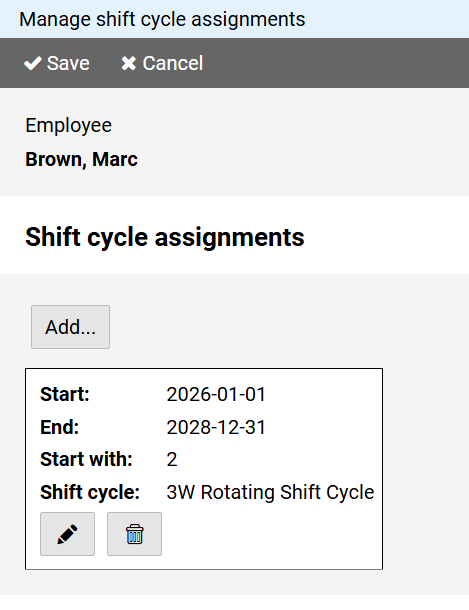
Press the button to edit a table entry and the to delete an entry.
Press the button to add another shift cycle assignment.
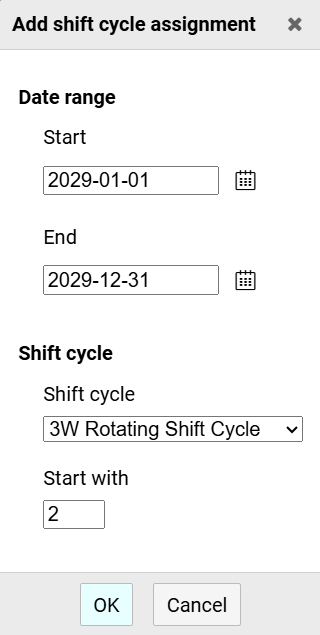
For each shift model assignment, you must specify the date range and the shift cycle.
The meaning of the Start with field depends on the unit in which the structure of the shift cycle is specified:
- In week models, it means the row of the shift cycle with which the assignment starts on the first day of the assignment date range.
- In day models, it means the day within the shift cycle that is valid on the first day of the assignment date range.
Notes:
Assigning a shift cycle leaves existing entries unaffected.
The cycles are conceived as rolling shift cycles, i.e., the layer rhythm repeats itself after each cycle.