Open a Schedule
To view a schedule, press the button next to the name of the schedule on the homepage.
Note: If a schedule is open and another view is displayed (e.g., the employee list), you can press the button in the command bar to display the schedule view.
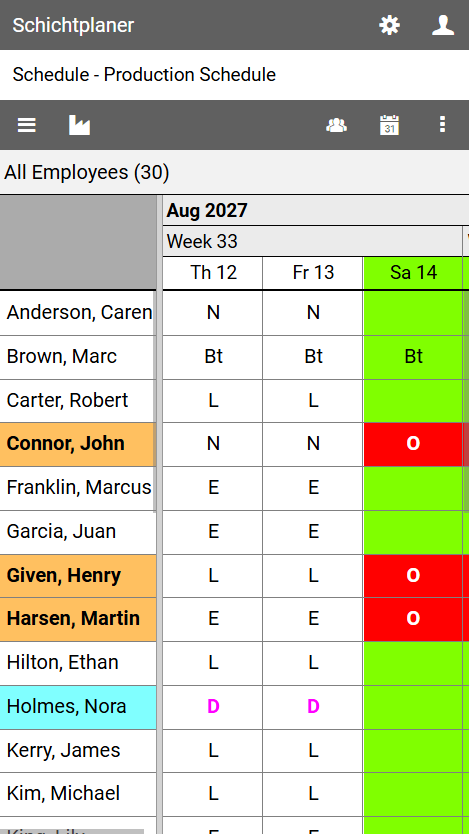
The schedule view is divided into different areas.
These are from top to bottom:
the application bar with the buttons for accessing the settings and user menus
the title bar with the name of the opened schedule
the command bar with the following buttons:
opens the main menu with commands for editing the schedule properties, the schedule users and user rights
opens the organization menu with commands for managing schedule data such as employees and shift types
select the group whose members should be displayed
navigates the plan to any date
opens the view menu for further actions
the group bar, which contains the name of the selected group and the number of group members displayed
rhe schedule, which displays the shifts and absences of employees in a calendar grid
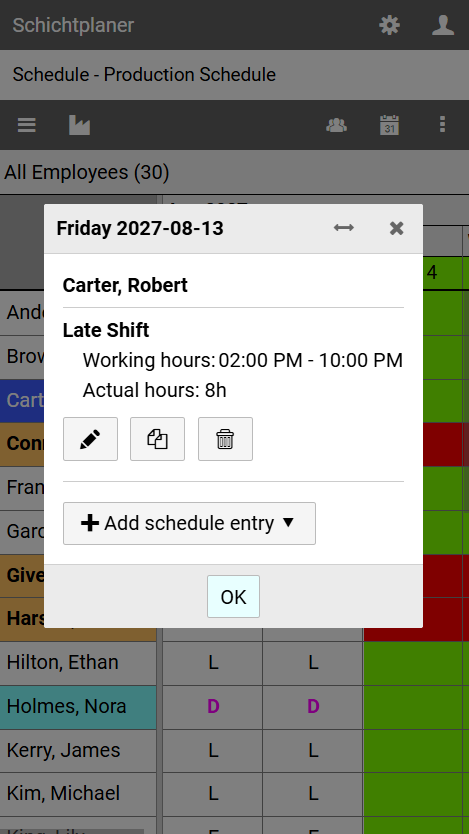
When you click on a day field in the schedule, a window will appear with information and commands for further actions.