Manage Holidays
To show the administration view for holidays press the button in the schedule view and select the command from the organization menu.
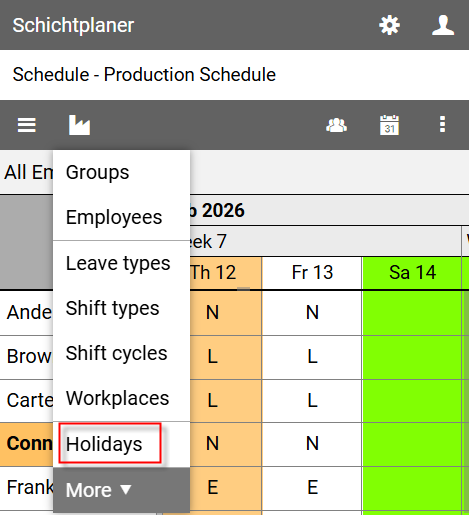
Administration View for Holidays
The view lists all available holidays.
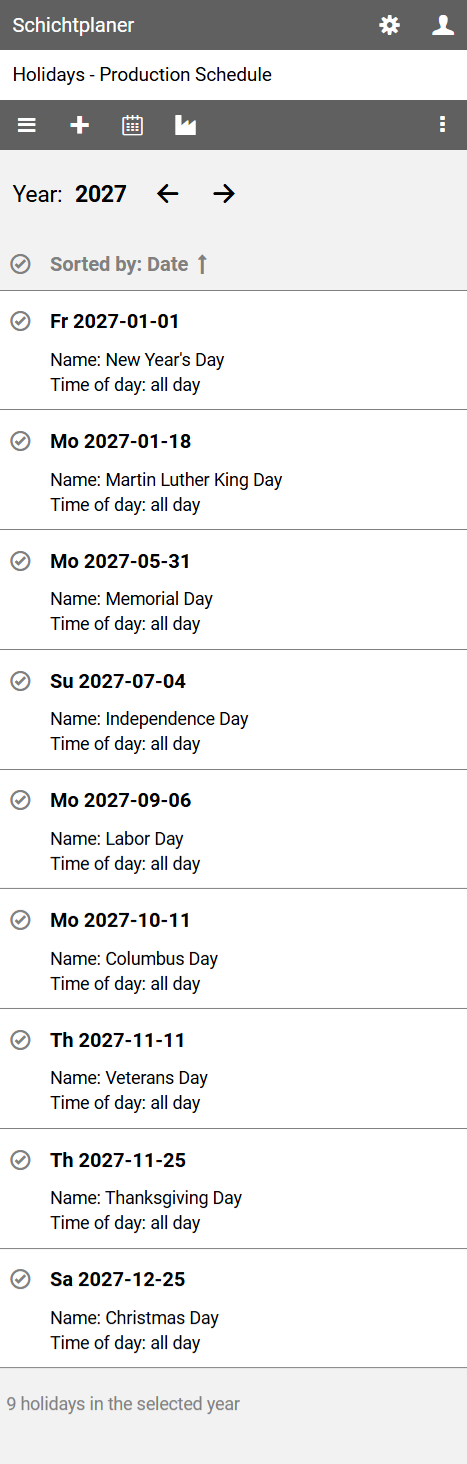
To change the displayed year, click on the year or an arrow next to it.
The command bar contains the following buttons:
opens the main menu with commands for editing the schedule properties, the schedule users and user rights
allows the creation of a new holiday
displays the schedule view
opens the organization menu with commands for setting up the schedule.
opens the view menu for further actions
Context Menu
Clicking on the name of a holiday opens a context menu that allows access to specific actions.
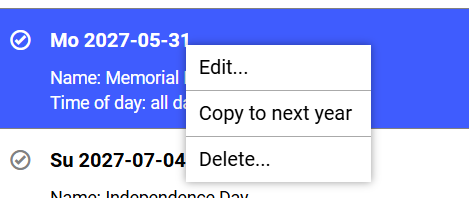
allows you to change the properties of the selected holiday
creates a new holiday with the same name, date (except for the year, which increases by one year) and time of day as the selected holiday
removes the selected holiday after a security prompt
Multiple Selection
To edit or delete multiple holidays at once click on symbol before the name of the holidays to be selected.
To select all displayed entries, click on symbol in the list header.
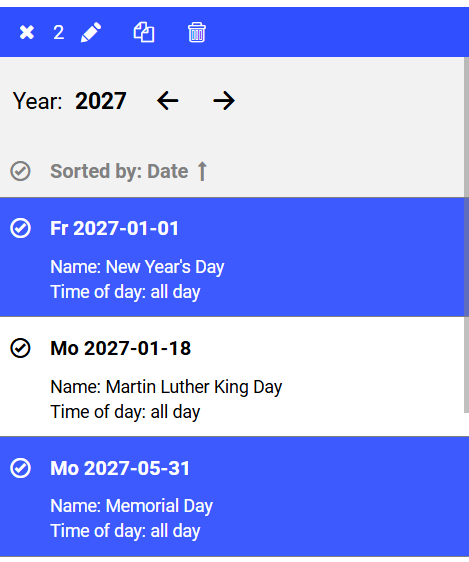
Then, on the command bar, press the button to edit the selected items, press the button to copy the selected items to the following year or press the button to delete the selected items.
Pressing the cancels the selection.