Logout
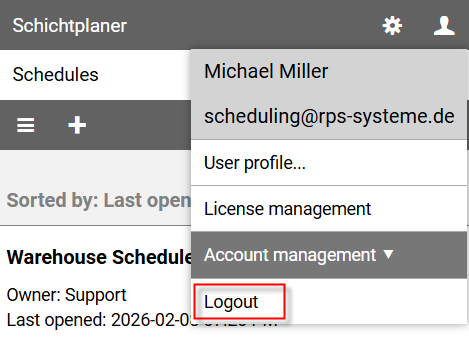
To log out of the app as a user, click on the user icon in the upper right corner of the view and select the command from the user menu.
Note: Logging out will also delete any saved logins.
To log out of the app as a user, click on the user icon in the upper right corner of the view and select the command from the user menu.
Note: Logging out will also delete any saved logins.