Edit Schedule Properties
To edit the properties of a schedule
- click the name of the schedule on the homepage and select the command from the context menu or
- click the on the schedule view to open the main menu and select the command .
Note: The properties of a schedule can only be edited by its owner.
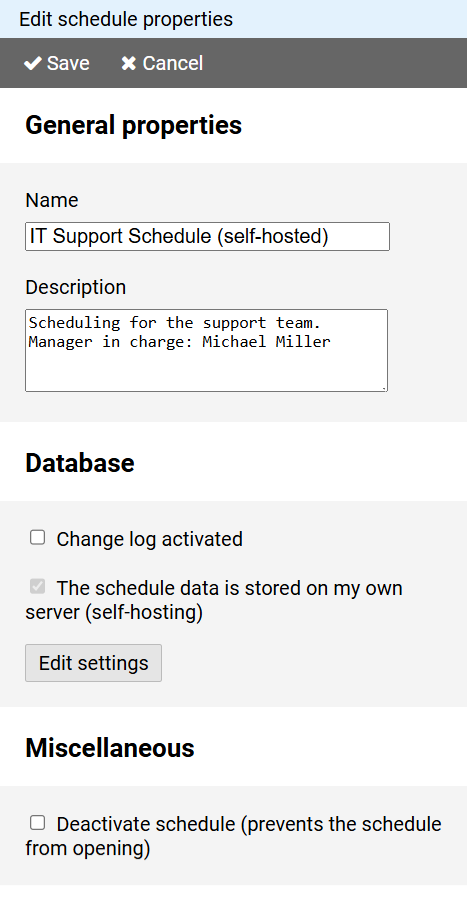
The name of the schedule can be changed.
You can revise the optional description of the schedule.
The change log , which tracks which user made which changes to the schedule, can be switched on or off.
Notes:
- Changes will only be recorded from the time the change log is turned on.
- Due to the large amount of data generated when maintaining the change log, information about changes made more than a week ago may be deleted from time to time.
- Currently, access to the change log is only possible via the Schichtplaner Windows application.
If the schedule is self-hosted, you can edit the database connection via the button.
Note: The self-hosting settings are only available if the schedule was already stored on a dedicated server during its creation.
You can (de)activate access to the schedule.